
Kompas.com (14/11) reported that Koperasi Desa Merah Putih (KDMP) Sonorejo in Kediri has fully digitized operations: POS cashier, inventory, bookkeeping, QRIS, and member database — all running alongside supporting digital devices. DetikInet (20/11) introduced QRIS Soundbox, a payment notification sound device ensuring merchants know transactions are received without constantly staring at screens. Kompas Money (18/11) recorded QRIS transactions growing 75.8% year-on-year in Q3-2026, driving the need for integrated cashier infrastructure: receipt printers, barcode scanners, cash drawers, and QRIS soundboxes.
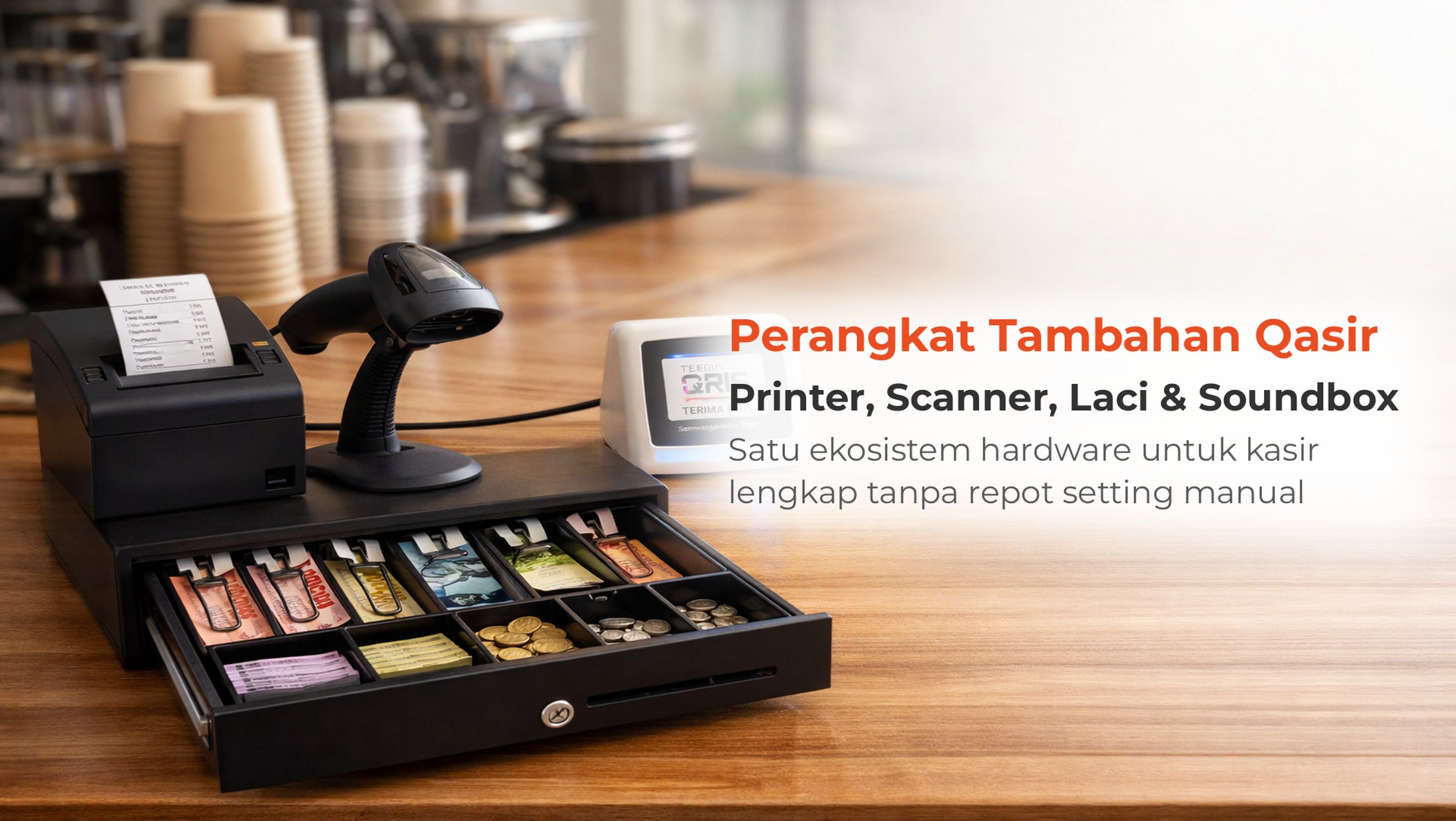
Amid this digitalization wave, cashier apps no longer stand alone. Qasir provides an Additional Devices menu in Settings so you can connect thermal printers, barcode scanners, cash drawers, and QRIS soundboxes into one ecosystem — making every transaction, receipt printing, drawer opening, and payment sound notification happen in sync without manual intervention.
What Are Additional Devices in Qasir?
Additional Devices is a feature in the Qasir app (Settings → Additional Devices) that lets you add and manage cashier-supporting hardware: thermal printers (Bluetooth, WiFi, LAN), barcode scanners, cash drawers (automatic cash drawers), and QRIS soundboxes. All devices connect to one Qasir account on your phone/tablet, so the cashier workflow — from scanning products, calculating totals, printing receipts, opening drawers, to payment sound confirmation — runs in one centralized flow.
This feature solves classic UMSME problems: receipt printers that must be manually reconfigured every shift change, scanners that don't sync with product catalogs, cash drawers that open forcedly without logging, and merchants who don't know QRIS payments arrived because there's no sound notification. With Qasir Additional Devices, everything is configured once in the app, then ready to use daily.
How to Connect Devices to Qasir (Quick Guide)
General steps to add a device (example: Bluetooth thermal printer — the most common device):
- Open Qasir app → Settings → select Additional Devices.
- Choose device type: Printer, Scanner, Cash Drawer, or Soundbox.
- For printer: click Add Printer → select connection type Bluetooth / WiFi / LAN.
- Enable Bluetooth/WiFi on phone → search for device → select the printer/scanner/soundbox name that appears.
- Enter PIN (Bluetooth printers usually 0000 or 1234) → click Connect.
- Run Test Print / Test Scan / Test Open Drawer / Test Sound to ensure device responds.
- Enable auto options: Auto print receipt on payment, Auto open drawer on transaction complete, QRIS notification sound active.
Printer Thermal Connection Type Comparison
| Connection Type | Best For | Advantages | Notes |
|---|---|---|---|
| Bluetooth | Coffee shops, food trucks, small stores | Portable, cable-free, quick setup | Range ~10m, 1 phone = 1 printer |
| WiFi | Retail, minimarkets, multi-cashier | Shared across multiple phones/outlets, stable | Needs dedicated WiFi router |
| LAN (Cable) | Supermarkets, high-volume workshops | Most stable, immune to interference | Requires UTP cable to router/switch |
One printer can be shared across multiple outlets (branches) as long as the device and phone are on the same network. Barcode scanner (Bluetooth/USB OTG) directly reads product codes already registered in Qasir Catalog — no manual SKU entry needed. Automatic cash drawer opens when transaction is paid (cash/QRIS), then closes again, logging who opened the drawer on which shift. QRIS soundbox plays "Payment Received" sound every time a QRIS transaction succeeds, so cashiers and business owners stay at ease without checking phones repeatedly.
Fits Three Types of Business
- Coffee shop with two barista shifts — Bluetooth thermal printer prints receipts fast, automatic cash drawer logs cash handover per shift, QRIS soundbox chimes when customers pay at tables.
- High-volume retail/minimarket — Bluetooth barcode scanner speeds up checkout 3-5x vs manual entry, LAN/WiFi printer prints receipts from cashier desk stably even while phone is charging.
- Motorcycle repair shop / laptop service center — Secure cash drawer for large daily cash amounts, QRIS soundbox ensures digital payments are heard amid workshop noise, barcode scanner for fast spare parts logging.
3 Tips to Maximize Additional Devices
Tip 1: Choose Printer Matching Daily Transaction Volume
Coffee shop 50-100 transactions/day: entry-level Bluetooth printer (Epson TM-T20, MPrinter M1) suffices. Retail/minimarket 200+ transactions/day: pick high-speed LAN/WiFi printer (Epson TM-T82X-II, Star TSP100) so receipt queues don't jam. Workshop with detailed receipts (spare parts, services, warranty): printer supporting small fonts and sharp logos is mandatory.
Tip 2: Calibrate Barcode Scanner Before Peak Hours
After connecting Bluetooth scanner, scan 5-10 random products from Qasir Catalog to verify names & prices appear correctly. If scanner reads but data doesn't match, check if product barcodes in Catalog are filled (can generate barcodes from Qasir). Keep scanner in dock charger when not in use so battery doesn't die mid-shift.
Tip 3: Set QRIS Soundbox Volume & Strategic Position
Place soundbox near cashier (not in kitchen/storage) with volume loud enough for transaction area. Test sound every morning before opening — if sound is faint, check battery or Bluetooth connection to cashier phone. Dead soundbox = merchant doesn't know QRIS payment arrived, risking customer claims "already paid but no receipt printed".
FAQ: Qasir Additional Devices
1. Can one printer be used for multiple outlets (different branches)?
Yes, as long as the printer connects via WiFi/LAN to the same network as the phones/tablets running Qasir at each outlet. For Bluetooth, printer can only pair with one phone at a time — switching to another outlet requires re-pairing.
2. What barcode scanners are supported?
Standard Bluetooth HID/SPP scanners (Honeywell, Zebra, Netum, Tera) and USB OTG scanners recognized by Android as HID keyboard. Once connected, scanner functions like a keyboard: aim at product search field in Qasir transaction, scan barcode → product instantly enters cart.
3. When does the cash drawer automatically open?
Cash drawer (RJ11 connection to thermal printer) opens automatically when transaction is paid — whether cash, QRIS, debit/credit card, or e-wallet. If transaction is only Saved (not yet paid), drawer stays closed. This prevents drawer opening randomly when cashier just inputs items.
4. Does QRIS soundbox need its own internet connection?
No. QRIS soundbox (e.g., QRIS Soundbox Netzme, BRIZZI Soundbox) connects via Bluetooth to the cashier phone running Qasir. The phone receives the payment callback from the QRIS server, then commands the soundbox to play sound. Ensure cashier phone stays online (data/WiFi) during business hours.
5. What to do if printer suddenly stops printing mid-peak-hour?
Urgent: disable Bluetooth/WiFi on phone → power off printer → power on → re-enable Bluetooth/WiFi → test print in Additional Devices menu. If still fails, use manual print (tap printer icon on transaction screen) while preparing backup printer. Log time & error type to report to Qasir Customer Happiness Team via Live Chat.
Business and Finance Tips
- Calculate TCO (Total Cost of Ownership) of devices, not just purchase price. Cheap printer with expensive special thermal paper that wears out fast can cost more over 6-12 months. Compare paper cost per roll, print head durability, and service center warranty in your city.
- Keep backup devices for critical components. Minimum 1 backup printer + 1 backup scanner for businesses operating >12 hours/day. 1 hour downtime at peak = lost unrecorded transactions, inventory out of sync, queuing customer complaints.
- Make device configuration a written SOP per shift. Who test-prints in the morning, who checks soundbox battery, who ensures drawer is locked at night. Written SOP at cashier area reduces human error during shift changes or new staff onboarding.
- Leverage per-device transaction data for efficiency evaluation. Qasir records every transaction with outlet & active user. Combine with Shift Cash Recap reports → see if transaction volume per printer/scanner is balanced, or if any device is underutilized (can be sold/moved to another branch).
Qasir Features for Additional Devices
Digital Cashier Fast Transactions
Records sales, accepts cash/QRIS/card payments, and sends digital receipts — all integrated with printer, scanner, cash drawer, and soundbox connected via Additional Devices. Paid transactions automatically trigger receipt printing, drawer opening, and sound notification without extra steps.
Cash Recap per Shift
Records cash in/out per user (staff) per shift. Automatic cash drawer logs who opened the drawer on paid transactions, making Shift Cash Recap accurate without manual logging. Ideal for cash handover between barista shifts, retail cashiers, or workshop treasurers.
Manage Products & Barcode Generator
Creates & prints product barcodes directly from the Qasir app. Barcodes printed are instantly readable by Bluetooth/USB OTG scanners connected via Additional Devices — no need to buy barcode labels from external vendors or manually enter SKU numbers every time you add products.
Real-time Sales Reports
View revenue, transaction count, payment methods, and top-selling products per outlet per day. This data auto-compiles from every transaction processed via digital cashier + additional devices, giving business owners performance visibility without asking cashiers for reports.
Conclusion
Qasir Additional Devices turns ordinary phones/tablets into complete cashier stations: thermal printers (Bluetooth/WiFi/LAN) for fast receipts, barcode scanners for 3-5x faster product entry, automatic cash drawers for security & shift cash handover logging, and QRIS soundboxes for merchant peace of mind during digital transactions. All configured once in Settings, then ready daily without IT hassle.
Choose devices matching your volume & business type, keep backups for critical components, and make morning device testing a mandatory team SOP. With a synced hardware ecosystem, you focus on serving customers — not managing cables, re-pairing Bluetooth, or repeatedly checking phones to know payments arrived.
Ask the Qasir Team If Something Is Still Unclear
- Digital Cashier Fast Transactions — record sales, accept QRIS/cash/card payments, send digital receipts integrated with printer & soundbox.
- Cash Recap per Shift — cash in/out per staff per shift, automated from cash drawer & paid transactions.
- Manage Products & Barcode Generator — create & print own barcodes, instantly readable by Additional Devices scanners.
- Real-time Sales Reports — revenue, transactions, payment methods, top products per outlet per day from digital cashier data.
If you still have questions about installing printers, setting up scanners, or pairing QRIS soundboxes, the Qasir Customer Happiness Team is ready to help. Just go to the Help feature in the app or on the Qasir website, then start Live Chat. You can attach screenshots or videos for more precise answers. Read the full guide at guide to contacting the Qasir team.
Download Qasir for free on the Play Store: https://play.google.com/store/apps/details?id=com.innovecto.etalastic&hl=id