
In daily business operations, the difference between stock in the system and physical stock is often a problem. When checked in the application, stock is still there. But when seen directly in the warehouse or on the shelves, the number has decreased.
This condition often makes merchants confused and think there is a recording error.
In fact, one of the causes that often occurs is transactions that have not been completed (saved transactions). To help merchants understand this condition, Qasir presents the Saved Transaction Overview feature in Webapp.
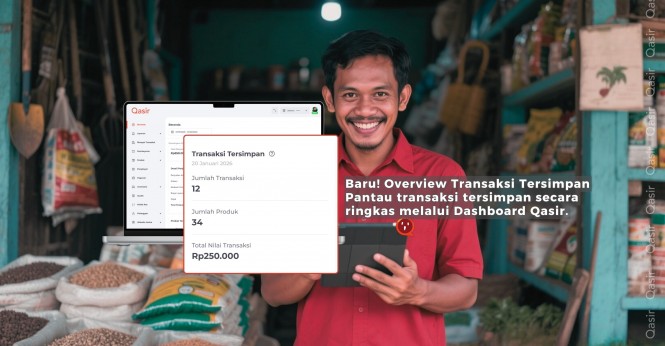
Saved Transaction Overview is a summary view on the Qasir Webapp Dashboard that shows the estimated total stock and transaction value that is being “on hold” by transactions that have not yet been settled.
With this feature, merchants no longer need to check saved transactions one by one. All important information is displayed in one concise card on the Dashboard.
Frequent Problems That Occur Without This Feature
Many merchants experience the following:
System stock is not the same as physical stock
It is difficult to estimate which items have actually been ordered but not yet paid for
Confused when checking daily or weekly stock
Risk of making wrong decisions when restocking or selling
These problems usually arise because stock is being reserved by stored transactions, but is not immediately visible.
Saved Transaction Overview displays three main data from all stored transactions:
Total Transactions
The number of transactions that are still stored and have not been completed.Total Products (Qty)
The total quantity of product that is being “held” by the transaction.Total transaction value (Rp)
The total rupiah value of all stored transactions is displayed in Rupiah currency format.
With this data, merchants can immediately understand:
How many transactions are still pending
How much stock hasn't actually come out yet
How much money is still on hold
Special Conditions:
If there are no transactions at all → The dashboard does not display data.
If no transaction was successful, but there are still transactions stored →
Other cards will display "No Transaction", while the Saved Transaction Card will still appear.
With Saved Transaction Overview, you can:
Estimating stock that is still on reserve
Prevent confusion when there is a discrepancy between system and physical stock
Be calmer when checking stock
Make restock decisions more accurately
Manage incomplete transactions in a more controlled manner
This feature is very helpful for retail, F&B, service businesses, and businesses with high transaction volumes.
Overview of Saved Transactions in Qasir Webapp provides important visibility for merchants to understand actual stock conditions. With one quick view on the Dashboard, you can see stock that is still "on hold" due to incomplete transactions and avoid mistakes in stock management.
Use Qasir Webapp and monitor Saved Transaction Overview for more accurate and calm stock management with Qasir Pro Plus subscription and get up to 6 months extra active period by contacting Account Executive right now!