
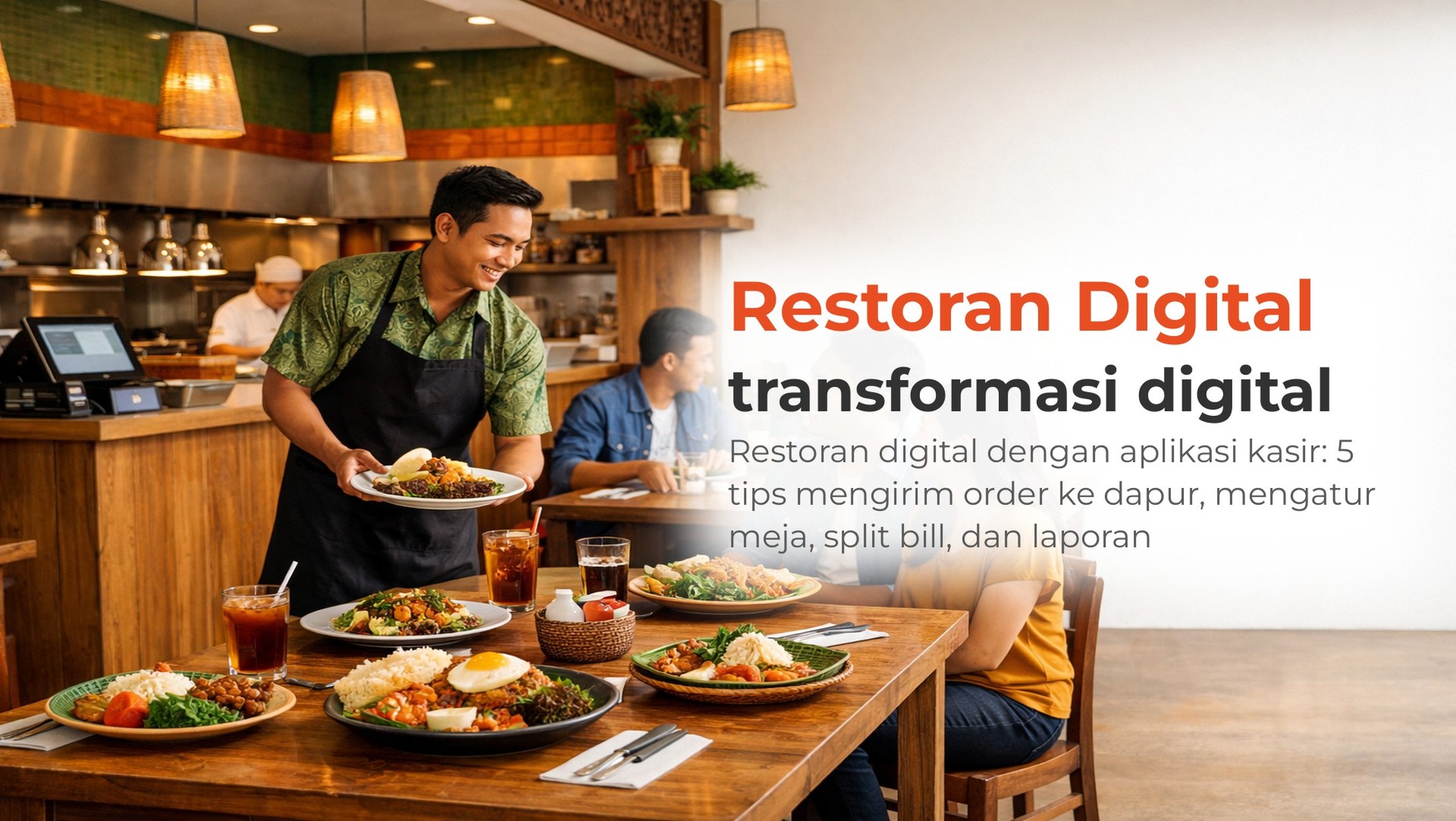
Going digital restaurant means turning manual digital restaurant digital restaurant digital restaurant restaurant operations into a trusted system: orders route straight to the kitchen, table management goes visual, split bills calculate instantly, and no late-night bookkeeping. Many restaurants still scribble orders on paper, manage tables on whiteboards, and calculate split bills manually — yet morning/lunch/dinner shifts need separate reports. This article guides you through 5 tips to run a digital restaurant with a POS app: send orders to kitchen, manage table numbers, split bills, manage menus & pricing, and read per-shift reports. The goal: owners focus on growing the business, not drowning in admin.
What Is digital restaurant and Why It Matters for Restaurants and Eateries
Below explains the definition of digital restaurant and why this concept matters for modern digital restaurant digital restaurant digital restaurant restaurant management.
Digital digital restaurant restaurant is the transformation of traditional restaurants into an app-based system where kitchen orders, table management, split billing, and per-shift reports integrate automatically.
Restaurant reality: 20-50+ tables with statuses (empty/occupied/reserved/needs cleaning), orders must reach kitchen on time, large groups need split bills, menus & prices per category (food, drinks, packages), and shifts (breakfast/lunch/dinner) need separate reports.
Without a digital system, kitchen orders get lost/delayed, double bookings happen, split bills are manual nightmares, and per-shift reports are inaccurate.
A POS app eliminates the chaos: orders from tables go straight to kitchen display/printer, table status updates real-time, split bills auto-calculate per person/item, and per-shift reports generate accurately without manual reconciliation.
7 digital restaurant Features That Keep Operations Smooth
Here are 7 core features that significantly impact digital restaurant digital restaurant digital restaurant restaurant management. Each is designed for daily restaurant and eatery reality.
Sending Orders Straight to the Kitchen
Guests order at table via waiter phone/POS, orders auto-route to Kitchen Display System (KDS) or kitchen printer. Kitchen sees: table number, item, qty, special notes (spice level, no onions). Zero lost orders, zero wrong tickets, kitchen works efficiently. Digital digital restaurant digital restaurant digital restaurant restaurant eliminates paper tickets that get greasy/torn/blown away.
Managing Table Numbers and Table Status
Restaurants run 20-50+ tables with statuses: empty, occupied, reserved, needs cleaning. System shows visual table layout with real-time status. Waiters tap table, select "Add Order" or "Pay". Phone/WhatsApp reservations enter system, table auto-locks. Empty tables auto-detected for next seating. Critical during lunch/dinner rush.
Splitting Bills with Split Bill
Large groups (8-10 people) often request split bills: per person, per item, or mixed. Auto split bill feature: select table, hit "Split Bill", choose per person/item, system calculates tax & service charge proportionally. Per-person receipts print separately. Guests happy, cashier doesn't sweat manual calculator math at the table.
Managing Menus and Pricing per Category
Restaurant menus: food (appetizer, main, dessert), drinks (soft drinks, alcohol, coffee), packages (rice + protein + drink), daily specials. Each item has category, price, and availability toggle (sold out/available). When ingredients run out, cashier taps "Sold Out", item auto-hides from waiter menu. Price & promo changes push real-time to all POS terminals.
Tracking Kitchen Ingredient Stock
Raw ingredients (meat, veg, spices, rice) need daily tracking. Ingredient stock feature (not finished goods) deducts per recipe per order out. Example: 1 Nasi Goreng portion = 200g rice, 50g chicken, 2 eggs — ingredient stock deducts automatically. Minimum-stock alerts fire. Chef shops morning market based on data, not guesswork.
Reading Per-Shift Sales Reports
Restaurants run 3 shifts: breakfast, lunch, dinner. Per-shift reports show: revenue, qty per item, payment methods, avg per table, and revenue per category. Owners compare lunch vs dinner, evaluate which items sell in which shift. Data drives staff scheduling, ingredient purchasing, and shift-specific promos.
Printing Receipts and Monitoring Cashless Payments
Receipts auto-print to Bluetooth/USB printers. Cashless payments (QRIS, cards, e-wallets) integrate: auto daily recon, no manual bank mutation checks. All transactions (cash + cashless + split bills + tabs) in one report. Owners see total revenue, payment method breakdown, and outstanding tabs in seconds.
Table: Before and After Digitalization for Restaurants
| Before Digital | What's Fixed | Business Impact | Qasir Feature |
|---|---|---|---|
| Paper orders, manual kitchen runs | Orders from table to KDS/kitchen printer auto | Zero lost/wrong orders, efficient kitchen, faster service | Kitchen Display System (KDS) + kitchen printer |
| Tables managed on whiteboard, double-booking risk | Visual table layout, real-time status, reservations auto-lock | Efficient seating, zero double-bookings, table turnover up | Table management & real-time status |
| Split bill manual calculator math | Auto split bill per person/item, proportional tax & service | Large groups happy, cashier fast, zero manual errors | Auto split bill + per-person receipts |
| Menu & prices on paper, updates painful | Digital menu per category, real-time availability, bulk updates | Menu always current, sold-out items auto-hidden | Menu & pricing management per category |
| Ingredient stock guesswork, chef shops blind | Per-recipe ingredient stock, auto-deduct per order, min alerts | Data-driven purchasing, zero surprise stockouts | Kitchen ingredient stock per recipe + alerts |
| Per-shift reports manual, error-prone | Auto per-shift reports: revenue, per item, per category, per payment | Data-driven shift eval, staff scheduling & shift promos | Per-shift sales reports + analytics |
| Cashless recon via manual bank checks | QRIS/cards/e-wallets integrated, auto recon, one report | Accurate financials, zero late-night bank checks | Integrated cashless payments + cash recap |
3 Tips for Choosing a digital restaurant POS for Restaurants and Eateries
Three steps to evaluate the right POS solution for your digital restaurant digital restaurant digital restaurant restaurant.
Ensure the System Supports Kitchen Display System (KDS) & Kitchen Printers
Kitchen orders are the heart of a digital restaurant digital restaurant digital restaurant restaurant. The app must support KDS (kitchen screens) and kitchen printers (thermal/impact), displaying: table, item, qty, special notes. Qasir's 7-day trial lets you test kitchen order flow during your restaurant's peak hours.
Prioritize Integrated Split Bill & Table Management
These two are daily digital restaurant digital restaurant digital restaurant restaurant drivers: split bills that don't create cashier queues, and real-time table management. Systems separating them create friction. Qasir's Restaurant solution unifies both in one dashboard.
Match the Plan to Table Count, Shifts, and Multi-Outlet Plans
A 20-table single-shift digital restaurant digital restaurant digital restaurant restaurant needs a different plan than 50 tables, 3 shifts, with branch plans. Qasir Pro's 12/24-month plans include multi-outlet, unlimited staff access, and KDS. Check Qasir Pro pricing for comparison.
Frequently Asked Questions (FAQ)
Does the system support Kitchen Display System (kitchen screens)?
Yes. Qasir supports KDS: orders from tables appear on kitchen screens (browser/TV/tablet) with table, item, qty, notes. Can also print to kitchen printers (thermal/impact) as backup. Configure in "Printer & KDS" settings.
How does split bill work for large groups?
On active table, select "Split Bill". Choose mode: per person (even split), per item (pick who got what), or mixed. System calculates tax & service charge proportionally. Per-person receipts print separately. Can also merge tables for groups that move tables.
Can raw ingredient stock (meat, veg) be tracked per recipe?
Yes. In menu settings, set recipe per item: 1 Nasi Goreng = 200g rice, 50g chicken, 2 eggs, 10ml oil. Every order out deducts ingredient stock per recipe. Alerts fire at ingredient minimums. Chef purchases based on real-time data.
Can per-shift reports be exported for daily evaluation?
Yes. Per-shift reports (breakfast/lunch/dinner) export to Excel/PDF. Format: shift, hours, revenue, qty per item, per category, per payment method, avg per table. Ready for daily management review meetings. Guide at bantuan.qasir.id.
Does the app run on a regular Android phone?
Yes. Qasir runs on Android 7.0+. Many restaurants use phones/tablets for waiters (mobile ordering) and a phone at main cashier. Bluetooth/USB printers pair with any device. Unlimited staff access on all Pro plans.
Business & Finance Tips for Restaurants and Eateries
Calculate food cost per menu: total ingredient cost per portion ÷ selling price. Target under 30-35% for healthy net profit after ops costs.
Weekly waste review: expired ingredients, over-portioning, kitchen returns. Target waste under 3% of total ingredient purchasing.
Use per-shift data for promos: slow lunch items → "Lunch Special" promo to boost traffic. Dinner bestsellers → maintain quality & stock.
Budget for kitchen equipment maintenance (stoves, ovens, chillers, fryers) so operations don't halt on sudden breakdowns.
Qasir Features for Restaurant Businesses
Below are the Qasir features delivering the most daily value for restaurants and eateries.
Mobile Ordering + Kitchen Display System (KDS)
Waiters order tableside via phone/tablet, orders go straight to kitchen screen/printer. Details: table, item, qty, notes (spice level, allergies). Kitchen works efficiently, zero greasy/torn paper tickets. Multi-kitchen-printer support per station (grill, wok, plating).
Visual Table Management + Real-Time Status
Visual table layout on cashier phone: green (empty), yellow (occupied), blue (reserved), red (needs cleaning). Tap table → add order/pay/split/reserve. Table turnover rises from efficient seating.
Auto Split Bill + Per-Person Receipts
Large groups split per person/item/mixed. Tax & service charge proportional auto-calc. Per-person receipts print separately. Table merge for groups moving tables. Cashier fast, guests happy, zero manual calc errors.
Menu & Per-Recipe Ingredient Stock Management
Menu per category (food/drink/packages), real-time availability. Recipe per item: raw ingredients & qty. Ingredient stock auto-deducts per order. Minimum ingredient alerts. Chef morning market runs data-driven, zero guesswork.
Per-Shift Reports + Integrated Cash Recap
Breakfast/lunch/dinner shifts: revenue, per item, per category, per payment method, avg per table. Cash recap: in (cash, cashless, tab payments) + out (wages, rent, electricity, ingredients, marketing). Per-shift & daily net profit real-time.
As a Qasir Pro user, this app has proven highly reliable for supporting business operations by providing advanced features like detailed inventory management, comprehensive business analytics, recipe management, and automatic kitchen order printing.
- warkop, Google Play Review, rating 5 stars, August 2026
Conclusion
Going digital restaurant transforms a digital restaurant digital restaurant digital restaurant restaurant from manual ops (paper tickets, whiteboard tables, split bill calculators) into a structured business: auto kitchen orders, visual table management, fair split bills, per-recipe ingredient tracking, accurate per-shift reports. Owners finally focus on strategy: add branches, optimize per-shift menus, raise prices based on food cost — not daily admin.
Start with a 7-day free trial: test kitchen order flow at peak, try 10-person split bill, set up table layout, watch per-shift reports generate automatically. Qasir Pro's 12/24-month plans are affordable for digital restaurant digital restaurant digital restaurant restaurant scale, with multi-outlet, KDS, & unlimited staff access ready when you grow.
Also read maximize sales with wholesale price feature (for catering/party packages), manage Qasir outlets: branches and staff, and why customer data matters for MSME retention for more operational steps.
Manage Your Restaurant Easier with Qasir Features
Mobile ordering + KDS: waiters order tableside via phone, kitchen receives real-time via screen/printer.
Visual tables: color-coded status layout, tap for order/pay/split/reserve, turnover up.
Auto split bill: per person/item/mixed, proportional tax & service, per-person receipts.
Menu & per-recipe ingredient stock: raw ingredients auto-deduct per order, min alerts, data-driven purchasing.
Per-shift reports: breakfast/lunch/dinner revenue, per item, per category, avg per table.
Integrated cash recap: cash + QRIS + cards + e-wallets + tabs = real-time net profit.
Download Qasir on Play Store and start your 7-day trial to test your digital restaurant digital restaurant restaurant's transaction flow. Get support via Live Chat Customer Happiness at bantuan.qasir.id, and plan details at Qasir Pro pricing.
For catering/party packages with wholesale pricing, see maximize sales with wholesale price feature to boost catering revenue too.