
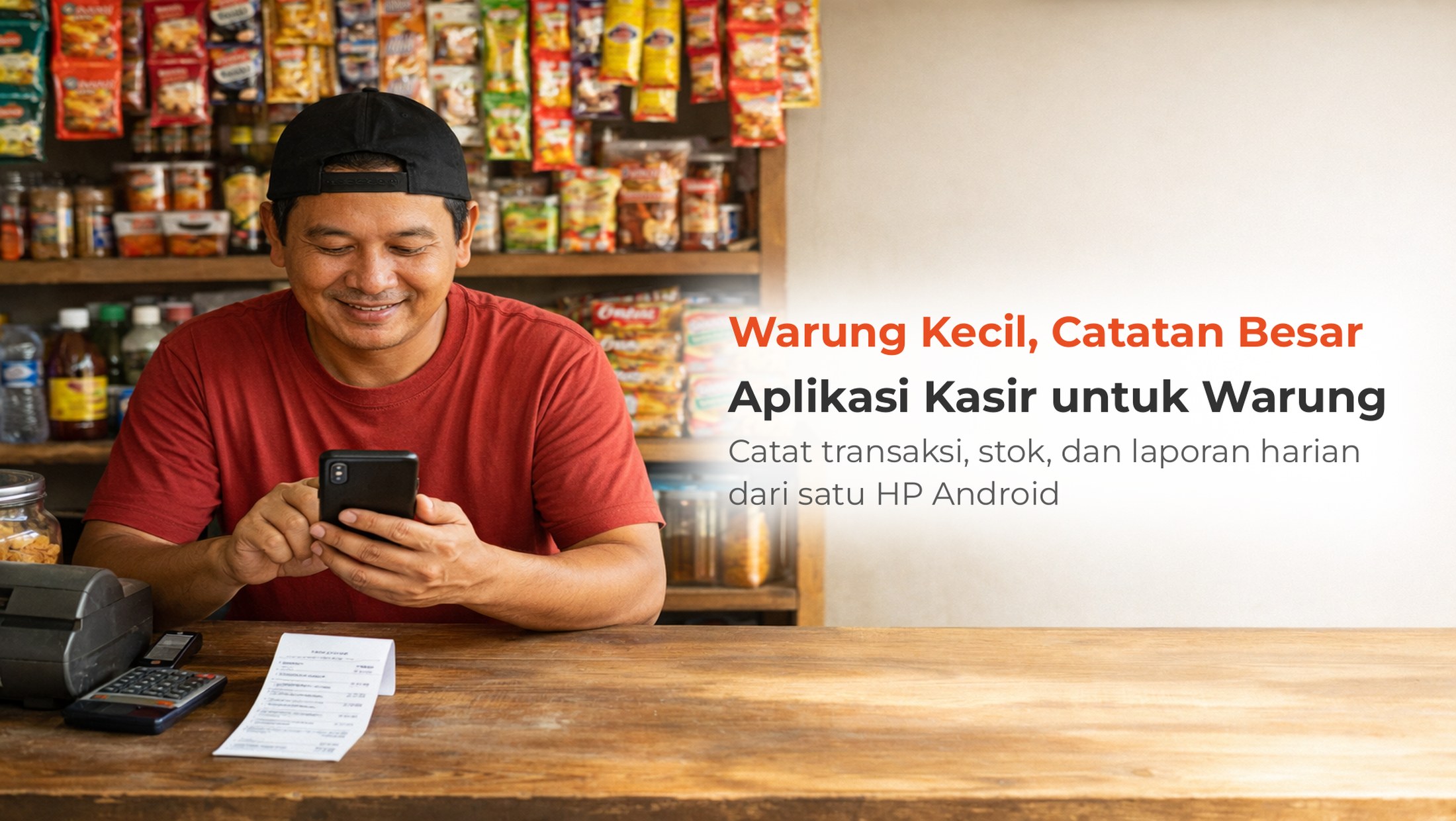
Indonesia counted 65.5 million MSME units in 2025, contributing 61.9 percent of GDP, according to BPS figures as cited by the Ministry of UMKM, and the ministry's SIDT-UMKM data records 30.45 million non-agricultural business units as of 31 December 2025. Most of them are warung-scale operations: one counter, one shelf, one owner. What changed over the past few years is the register itself. A device that records every sale, prints a receipt, and adds up the day at closing time is now reachable for any shop that already owns an Android phone, and the number of options on the market has grown quickly. Sources: BPS and the Ministry of UMKM.
Quick answer: the right POS app for warung is the one whose cost per outlet matches the way the shop actually sells, and whose features cover the transactions recorded every day. Price, trial length, and hidden costs decide most of it. Qasir is one option worth comparing: a 7-day free trial with every feature active, Pro at Rp699,000 per 12 months, and Pro Plus at Rp1,199,000 per 12 months.
POS App for Warung: 7 Verified Options Compared in 2026
When owners compare a POS app for a small shop, they rarely need a long feature list. They need to know what each option charges, what it is built to handle, and which details deserve a check before money is committed. The table below lists seven options that come up often in Indonesian small retail, with the pricing model, the main strength, and the points to verify during a trial. Competitor prices are taken from each vendor's official page and were checked on 26 November 2026.
| Application | Pricing Model | Key Strength | What to Verify in the Trial |
|---|---|---|---|
| Qasir | Free 7-day trial with every feature active; Pro Rp699,000 per 12 months, Pro Plus Rp1,199,000 per 12 months, tax excluded | Records sales online and offline, unlimited products and staff, digital receipts by email | Extra outlet charge, receipt printer setup, staff access rights, tax per product |
| Kasir Pintar | Free plan with 1,000 items, 3 reports, 1 user and a watermarked receipt; Pro Rp666,000 per year, VAT included; 30-day trial | Straightforward register with a separate offline option and a bundled business package | How the watermarked receipt and the 1,000-item limit feel in daily use, and how the offline option is priced |
| Moka POS | Basic Rp299,000, Pro Rp499,000, Enterprise Rp799,000 per outlet per month | Register, stock and reporting in one place for food and retail shops | Staff slot at Rp10,000 each beyond the plan quota, and which tier holds the features you need |
| Pawoon | Free plan with 7 transactions per day and 1 outlet; Pro Rp299,000 per outlet per month | Lightweight register that starts free for a single-counter shop | Whether 7 transactions a day covers your busiest hours, and the cost of a second outlet |
| majoo | Starter Rp249,000, Advance Rp499,000, Prime Rp999,000 per outlet per month, tax excluded | Register, stock, staff and reports arranged for a shop that is growing | Which tier carries the features you already use, staff management limits and the outlet count |
| Loyverse | Free register with 31-day analytics, basic inventory, loyalty and multi-store; Unlimited Sales History US$7 per month per store, Employee Management US$25, Advanced Inventory US$25 | Register core at no cost, with extra modules sold as add-ons | Currency cost of the US$ add-ons and whether each module is worth its monthly fee |
| MPStore | Kasir module free inside the same application | Register placed next to QRIS, PPOB and online store features | Which parts of the app are paid, and what the free module covers |
Prices for the other options come from each vendor's official page, checked 26 November 2026, so treat them as a starting point for your own budget rather than a final quote. Two shops in the same city can still pay different totals, because the number of outlets, the length of the term, and the add-ons each shop picks change the result. Read the table column by column, then check the current page yourself before paying.
"Cheap, and the features are of good quality for small MSMEs."
Dp, Google Play review, 5-star rating, November 2026
"Simple app and easy to use even for someone who is not tech-savvy at all. CS Hani is responsive, not arrogant, diligent in saving and kind-hearted."
nugrah, Google Play review, 5-star rating, November 2026
Tip 1: Compare the Cost per Outlet, Not the Price on the Label
Add Up What One Outlet Costs in a Year
The monthly figure on a pricing page rarely reflects the yearly bill. A plan billed per outlet per month multiplies across outlets, while a plan billed per year has to be divided by twelve before it can be compared with anything else. Qasir is charged once for 12 or 24 months: Pro is Rp699,000 per 12 months, which works out to about Rp1,900 per day, and Pro Plus is Rp1,199,000 per 12 months, about Rp3,300 per day. The 24-month terms are Rp1,179,000 and Rp1,699,000. Current figures sit on the Qasir pricing page, and a wider breakdown is in the 2026 price comparison.
- Write down how many outlets you run today and how many you expect next year, then price each option for both numbers.
- Convert every quote into a yearly figure and a daily figure, so a monthly plan and an annual plan can sit next to each other.
- Read the trial length as information: a 30-day trial lets you rehearse a month of busy weekends, while a 7-day trial asks for a faster decision.
- Choose the POS app whose yearly figure your daily takings can absorb without cutting stock orders.
Tip 2: Run the Trial on a Real Busy Day Before It Ends
What to Test in the First Hour of the Trial
A POS app looks settled when the shop is empty. The honest test happens at noon, with customers waiting and the stock list half finished. Use the trial period to record a normal day of sales, because a POS app for warung earns its place when it survives the rush rather than the demo. Qasir keeps every feature active during the 7-day trial, so nothing has to be requested from support to test it.
- Record ten real sales with the actual products and the actual prices, including one item with a different variant.
- Send one receipt digitally and print one, so you can compare both against what customers expect.
- Open the daily sales report while the counter is still busy, and check that the numbers are readable without help.
- Ask a second person to use the register while you watch, since a POS app that only one person understands becomes a single point of failure.
Tip 3: Check What Happens When the Signal Drops
Offline Mode and the Paper Backup
Connection trouble is a normal part of the day in many neighbourhoods, and it is where a POS app either holds up or does not. On Qasir, sales keep running when the internet is gone: products still enter the cart, the total and change are still calculated, receipts still print, and the transaction waits on the device until the network returns. The cash recap can still be opened while the shop is offline. The practical guide to running sales when the signal drops explains how to rehearse this before you rely on it.
- Switch off mobile data halfway through a test sale and confirm the transaction still completes and prints.
- Check that the full transaction history appears after the device reconnects, not before.
- Keep receipt paper and a spare phone charged at the counter, so a device problem does not stop the queue.
- Copy the daily total into a notebook each evening and compare it with the report the next morning.
FAQ: POS App for Warung Questions Owners Ask Most
Is there a free POS app for a small warung?
Several options have a free layer. Kasir Pintar offers a free plan with 1,000 items, 3 reports, 1 user and a watermarked receipt. Pawoon offers a free plan with 7 transactions per day and 1 outlet, and MPStore includes a free Kasir module inside the same application. Qasir does not run a permanent free plan; it gives a 7-day free trial with every feature active, after which the Pro plan applies. Read the limits before deciding, because a free plan with a small transaction cap will not carry a shop that sells hundreds of items a day.
How much does a POS app for warung cost per year?
It depends on the billing model. Qasir Pro is Rp699,000 per 12 months and Pro Plus is Rp1,199,000 per 12 months, with 24-month terms at Rp1,179,000 and Rp1,699,000. Kasir Pintar Pro is Rp666,000 per year with VAT included. Moka POS, Pawoon and majoo are billed per outlet per month, so the yearly figure depends on how many outlets you run. Loyverse keeps the register free and charges for extra modules. A yearly total is the only number worth comparing between them.
Which POS app keeps working when the connection is unstable?
Qasir runs transactions on the device when the internet is unavailable, so products still enter the cart, the total and change are still calculated, receipts still print, and the record is sent once the network returns. Kasir Pintar also offers a separate offline POS option. For the others, ask directly how a sale behaves without a connection before you sign up for a year.
Can one POS app cover several outlets?
Yes, but the cost structure differs between options. Qasir supports multiple outlets, with each extra outlet charged as an additional cost, and staff access rights can be set per outlet. Moka POS, Pawoon and majoo bill per outlet per month, so the number of locations multiplies the bill directly. Loyverse supports multi-store on the free register. Ask for the price of a second outlet in writing before you open the second one.
What extra costs should I plan for besides the subscription?
Plan for four items. Tax is not included in the Qasir price, while the Kasir Pintar Pro price already includes VAT. A receipt printer is a separate purchase for most options, and thermal paper is a recurring cost. Extra outlets carry an additional charge. Staff can also cost extra: Moka POS charges Rp10,000 per staff slot beyond the plan quota, and Loyverse sells Employee Management and Advanced Inventory as add-ons. The additional features page lists what Qasir treats as a paid extra.
Business and Finance Tips for Warung and Small Shops
Keep the Register and the Notebook on the Same Page
A digital register and a paper notebook only help if both are filled in. Write down the opening cash float, the cash in the drawer at closing, and anything the customer paid by transfer, then compare those three numbers with the POS app report at the end of the day. When they agree, the day is closed. When they do not, the difference is small enough to find while it is still fresh. A guide to managing cash in and cash out explains how to build that routine.
Separate Shop Money from Household Money
The most common reason a small shop runs short is not the register, it is the mixing of two wallets. Move the daily takings out of the counter drawer into a separate account for the business, and pay the household from a different source. Writing down the income and the expenses side by side, the way recording income and expenses describes, makes the margin visible without guesswork.
Watch the Items That Actually Move
Stock decisions get easier once the sales data is reliable. Read the sales report per product rather than per category, then compare what sold with what is still sitting on the shelf. For a grocery store, the item-level view is usually more useful than a weekly total, and the notes in grocery store reporting show how to read it. On Qasir, stock history and the sales report are kept per product, so the reorder point follows the record rather than memory.
Review the Numbers Before You Renew
At the end of the term, look at what the subscription bought you: fewer stock losses, fewer rounding mistakes, faster service at the counter. Compare that against the yearly cost in the table below. A register that stays quiet because it never ran is a poor investment, whatever the price. If you are weighing several options for a business that is still small, which POS app fits small businesses sets out how to narrow the field further.
The table below puts the yearly cost next to the costs that are easy to overlook. Read the last column as a list of things to budget for, not as a verdict on any one option. Prices for the other applications come from each vendor's official page, checked 26 November 2026.
| Application | Listed Price | Period | Hidden Costs to Plan For |
|---|---|---|---|
| Qasir Pro | Rp699,000, about Rp1,900 per day | per 12 months, charged once | Tax excluded, extra outlet charged separately, receipt printer and paper not included |
| Qasir Pro Plus | Rp1,199,000, about Rp3,300 per day | per 12 months, charged once | Tax excluded, extra outlet charged separately, paid add-ons listed on the features page |
| Qasir Pro, longer term | Rp1,179,000 | per 24 months | Same as the 12-month plan, with the printer and paper still on you |
| Qasir Pro Plus, longer term | Rp1,699,000 | per 24 months | Same as the 12-month plan, with the printer and paper still on you |
| Kasir Pintar Pro | Rp666,000 | per year, VAT included | Receipt printer and paper, extra staff on the paid tiers |
| Moka POS Basic | Rp299,000 | per outlet per month | Tax, receipt printer, and Rp10,000 for each staff slot beyond the quota |
| Pawoon Pro | Rp299,000 | per outlet per month | Tax, receipt printer, thermal paper |
| majoo Starter | Rp249,000 | per outlet per month | Tax excluded, receipt printer, limits that sit with the lower tier |
| Loyverse register | Free, add-ons from US$7 per month | per store, per module | Currency cost of the US$ add-ons, receipt printer |
| MPStore Kasir | Free module | inside the same application | Paid features elsewhere in the app, receipt printer |
The comparison is only fair if the same items are counted on both sides. Tax, the printer, paper, and the number of outlets apply to every option, so the differences that remain come from the software itself. A business that sells food has different needs from one that sells packaged goods, and the notes on cashier apps for food stalls cover the food side, while the retail and small shop setup covers a shop that sells goods by the piece.
Qasir Features for Warung and Small Shops
Transactions That Keep Running When the Signal Drops
Sales do not stop when the connection does. Products still enter the cart, the total and the change due are still calculated, receipts still print, and the transaction is stored on the device until the network comes back, after which the history becomes available. That single behaviour removes a large share of the daily risk, because a queue at the counter never has to wait for a loading spinner.
Digital Receipts, Tax, and Discounts Handled per Product
A receipt can be sent by email instead of printed on paper, and the receipt itself can carry a logo, a custom print layout, and a queue number. Tax is set per product rather than applied as a blanket percentage at the end, and discounts are managed in one place. For a shop that sells a mix of food and packaged goods, that matters more than it sounds, because the correct amount reaches the customer without a calculation at the counter.
Unlimited Products, Modifiers, and Wholesale Prices
There is no cap on the number of products, and product modifiers cover the variations a warung actually sells, such as size, weight, or flavour. Wholesale prices are set alongside the normal shelf price, so a regular customer and a reseller are charged correctly without a separate notebook. Products can also be exported when the catalogue needs to move somewhere else.
Unlimited Staff, Access Rights, and Reports That Arrive by Email
Any number of staff members can be added, and access rights are set per person, so the owner can see who adjusted a discount or voided a transaction. On top of the basic sales report there is an advanced report that can be sent to the owner by email, plus a real-time transaction history and a cash recap that is still readable when the connection is unstable. The full list sits on the Qasir features page.
Conclusion
Choosing a POS app for warung comes down to three numbers that are easy to verify yourself: what one outlet costs for a full year, what the register still does when the signal drops, and how many staff need their own access. Seven options are listed above with the pricing model, the strength, and the details worth checking during a trial, taken from each official page on 26 November 2026. None of them can be decided from the price alone, because the printer, the paper, the tax, and the second outlet are paid either way.
What is clear from the comparison is that the billing models differ more than the feature lists do. Qasir charges once for 12 or 24 months, with Pro at Rp699,000 per 12 months and Pro Plus at Rp1,199,000 per 12 months. Kasir Pintar bills per year, while Moka POS, Pawoon, and majoo bill per outlet per month, so their yearly figure grows with every new location. Loyverse and MPStore keep a register layer free and charge for the modules around it. Whichever route you take, the sensible order is the same: read the terms, test the workflow on a busy day, and confirm what the second year costs.
Start with Qasir: 7-Day Free Trial
- Every feature is active during the 7-day free trial, so the whole workflow can be tested before any payment.
- Transactions continue when the internet connection drops, and the history syncs afterwards.
- Unlimited products, product modifiers, wholesale prices, and stock management in one register.
- Unlimited staff with per-person access rights, plus a cash recap that opens even on a weak connection.
- Digital receipts by email, tax per product, and advanced sales reports delivered to the owner.
- Pro at Rp699,000 per 12 months and Pro Plus at Rp1,199,000 per 12 months, with tax excluded.
If anything about setting up the register is still unclear, the Customer Happiness team answers through the live chat feature inside the app, and the guide to using the live chat feature explains the quickest way to reach them. Qasir has a 3,947 rating from 31,961 reviews on Google Play and runs on Android 5.0 and above, online or offline. Download Qasir free on Google Play and try the 7-day trial with the full feature set switched on.