
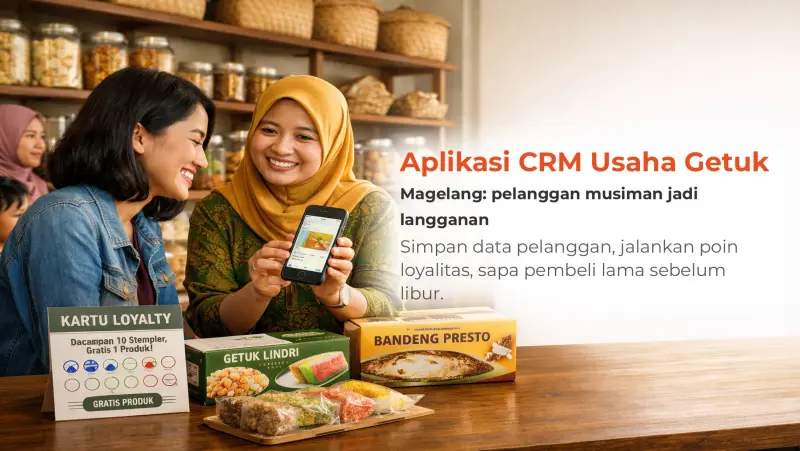
When the school holidays arrive, Magelang fills up. Families head to Borobudur and the attractions around it, and during the recent Lebaran break the temple was expected to welcome 83,000 visitors (ANTARA Jateng). Many of those travellers stop for getuk lindri or bandeng presto on the way home: they buy once, pay cash, and leave without giving a name. A CRM app is what keeps that first purchase from becoming the last one, because it holds every buyer's name, phone number and order history in one place instead of a notebook that never leaves the counter.
This guide explains what a customer-record system really does for a Magelang getuk and oleh-oleh shop, how it compares with a notebook or a spreadsheet on a phone, and the four steps to get started. You will also find a short FAQ and a look at the customer tools Qasir already ships today, so you can decide whether a CRM app belongs on your counter before the next holiday wave arrives. The idea is simple: remember your buyers, and they remember you.
A CRM App for Getuk and Oleh-Oleh Shops in Magelang
In plain terms, it is software that builds a profile for everyone who buys from you - a CRM app keeps the basics (name, phone number, email, birthday, address and a short note) alongside a full list of transactions, so you can see what a customer bought last month and how often they turn up. Once those records exist, you can run a loyalty points program, send a seasonal offer to past buyers, give a membership discount to your best customers, and notice the regulars who have quietly stopped coming. That is the whole CRM idea in one sentence: keep the history, then put it to work.
You do not need to build any of that yourself. Qasir already ships a Customer Feature, a Customer Report, Loyalty Points and Membership Discount inside its cashier system, and a bakery in Yogyakarta used the same habit to bring bakpia buyers back (a CRM guide for bakpia sellers). Magelang counted 10,674 small businesses in a recent city tally (as reported by Radar Jogja), so the shops that keep growing are the ones whose customers feel recognised. Meet the platform at qasir.id.
Comparing Customer Records in a Magelang Oleh-Oleh Shop
Before picking a CRM app, it helps to see how the usual options behave at an oleh-oleh counter when the queue does not stop. The differences never show up in a quiet week; they show up when several people are serving at once and someone needs to know whether a regular has already been served. For a wider look at cashier setups, this guide to manual, desktop and mobile cashier systems and this roundup of shop POS options are both worth reading before you commit.
| Aspect | Manual records (notebook and WhatsApp messages) | Spreadsheet on the phone | Qasir cashier app |
|---|---|---|---|
| Customer data | Names and numbers written by hand | Lists that are easy to overwrite | Profiles saved with phone number and notes |
| Shopping history | Only what you happen to remember | Updated manually, often out of date | Every transaction logged automatically |
| Seasonal promotions | The same message for everyone | People are messaged one by one | Offers can go to selected customer groups |
| When the phone is lost or the cashier changes | Records can disappear with the notebook | The file stays on one device | Data follows your account, not the device |
None of these approaches is shameful - a notebook beats no records at all. The trouble is that manual files depend on memory and good intentions, and both run out during a holiday rush. Spreadsheets go a step further, yet someone still has to update them, and that person is usually the busiest one in the shop. A CRM you never open is worth less than a notebook you actually write in, so choose the option your team will genuinely use. What matters is that the record outlives a replaced phone, a new cashier, or a season where nobody had time to update a list. The cashier system with customer records keeps working through all of it, and it costs less time than rewriting the same list every month.
If you sit somewhere in between, a hybrid is fine: keep the notebook for quick reminders, but let the cashier system on the counter hold the master list. The goal is not a perfect database, it is one dependable place where every sale lands - ideally the system that already handles payments, stock and the end-of-day recap, because a list that updates itself is a list that stays true when the shop gets busy again.
4 Practical Steps to Start a CRM App in a Magelang Getuk Business
Starting does not take a consultant or a big budget. For a shop in Magelang, the whole setup fits into an afternoon, and the tool only becomes useful once it is part of the routine instead of a side project:
- Decide what you will collect. Name and phone number are enough to begin; email, birthday and a short note can follow later. Most cashier systems can import the contacts already saved in your phone book, so you start from something rather than a blank list.
- Make customer input part of the checkout. The cashier picks the customer before the sale is finished, which takes a moment and becomes automatic within a week. Qasir lets owners make this step mandatory across every outlet, including staff with operator access.
- Tag the seasonal buyers. Mark holiday visitors separately from local regulars, then pair the list with a loyalty points program so the family that loads up before every trip home has a reason to return. This Magelang getuk selling guide has more ideas for the peak weeks.
- Review the records every week. Look at who visited, who stopped turning up, and which promotion actually brought people back. A short check on a quiet Monday is usually enough to spot the next move.
None of these steps is written in stone. Once the routine is running, adjust what you collect and how often you review it: a small shop that keeps its list honest will always outperform a bigger one that never opens it. If a field does not help you make a decision, drop it and keep the counter moving.
FAQ: Common Questions About a CRM App
What does a CRM app actually do for a small shop?
It keeps a profile for every buyer and links each transaction to that profile, so you always know who bought what and when. On top of that record you can run loyalty points, membership discounts and seasonal promotions without rebuilding a list by hand.
Do I need a computer to use one?
No. A phone is enough: the cashier app runs on a standard Android device and the customer list stays attached to your account. The counter takes up no more space than it did with a notebook, only the record is safer.
Can I bring across the contacts I already have?
Yes. Most shops start by importing the contacts saved in the phone book, then add details as people come back. There is no need to retype everything manually before your CRM shows any benefit.
Does it actually help during the school holiday rush?
That is precisely when it pays off. With buyer profiles in place, you can message past visitors about a holiday bundle, recognise a returning family at the counter, and see which promotion actually filled the shelves instead of guessing afterwards.
Is a spreadsheet good enough for now?
A spreadsheet works until two people edit it at the same time or the phone goes missing. Records tied to an account survive staff changes and device swaps, which is what makes them dependable in a shop that hires seasonal help.
Business and Finance Tips for Magelang Getuk Makers
Customer records only pay off when they sit beside solid money habits. Magelang's food-processing trade gives a sense of scale: the city's fish-processing hub produced 249,830 kg of soft-bone pindang in 2020, while pressure-cooked milkfish moves at 5-7 quintals a day. Whatever your own volume, the same discipline applies - and none of it works if your CRM list is stale, so pair these habits with the weekly review described in the steps section.
- Price by portion, not by memory. Know the cost of a box of getuk before the holiday week begins, so a discount never quietly eats the margin you counted on.
- Keep business cash separate. A dedicated account makes daily reconciliation honest and stops small shortfalls from growing into surprises at month end.
- Plan for the quiet weeks. School-holiday sales come in waves, so set aside part of every busy day for the stretches when the road is empty.
- Measure what a promotion earned. Use your CRM records to compare a loyalty points campaign with an ordinary week, and keep only the offers that pay for themselves.
Qasir Features for a CRM App in a Magelang Getuk Business
All of this is easier when the tool already exists. Qasir's customer suite sits inside the cashier system you may already be running, and the full walkthrough is in this guide to customer features, with the complete feature list on the main site. In practice it works as a CRM app that lives where the sale already happens, and Qasir is shaping a dedicated direction called QasirCRM so customer data eventually sits behind a single button.
Customer Feature
Saves a profile for every buyer: name and phone number are required, while email, photo, ID details, gender, birth date, address and a private note are optional. Contacts can be imported straight from the phone book, and a receipt can be emailed to the customer after the sale. The profile can stay as plain as you like; what matters is that it exists before the next holiday rush.
Customer Report
Shows each customer's total visits and transaction history, including any credit or receivable notes you recorded. It is the CRM view of every regular, and it answers the question owners ask in a busy week: who is actually buying, and how often. For a shop that sells on credit, it also settles the question of who still owes you a box.
Loyalty Points
Points accumulate on each qualifying transaction, with a minimum purchase and multiplier options you decide, and they can be redeemed at payment. That exchange gives a returning family a concrete reason to choose your counter again. Because the rules are yours, no reward ever surprises you at the till. Think of the points balance as the simplest report your CRM will ever produce.
Membership Discount
A special discount for the customers you select, so your best buyers feel the difference without a public price cut. It pairs naturally with loyalty points when the season slows down, and it gives you a quiet way to reward the regulars who carry your quiet months.
Conclusion
A holiday rush is a gift, but a customer record is what turns it into a business. Start with names and phone numbers, make input part of every sale, and let loyalty points bring the families back once school starts again - a CRM app makes that feel routine rather than extra work. Magelang rewards the shops that remember people.
Contact Qasir's Customer Happiness to Set Up Customer Data
Want help getting your customer data in order? The Customer Happiness team can walk you through the setup and get your CRM running: open the Live Chat guide to start a conversation, or reach the team by WhatsApp or email through the same help centre. Once your list is running, download Qasir from Google Play and keep the whole shop on one account, from the holiday counter to the quiet weeks.